
Pigeon pedigree: a PDF of 3 to 6 generations
PigeonTree turns your loft records into an A4 pedigree PDF. Three generations are free; Plus exports up to six. The phone makes the PDF without an internet connection.
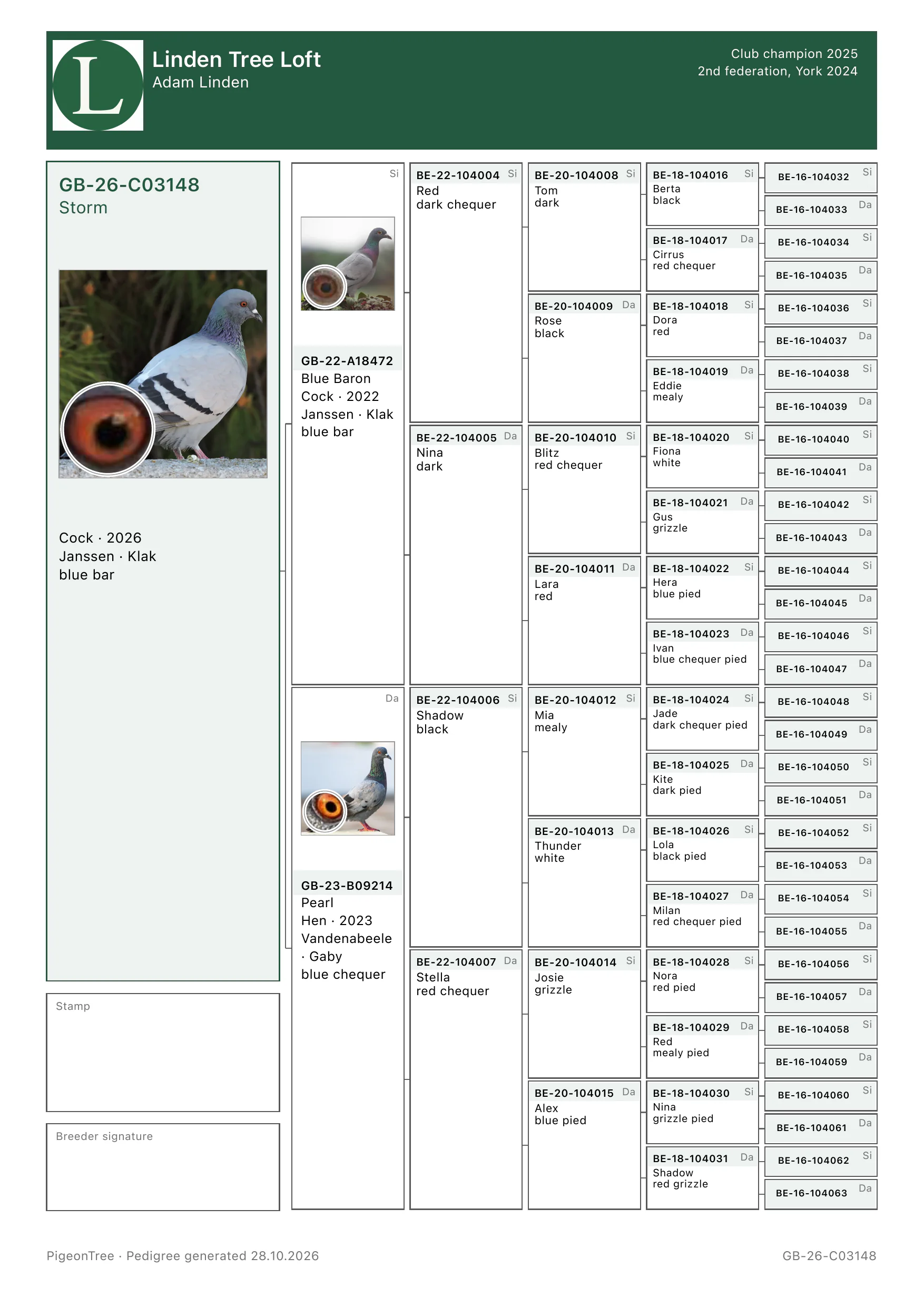
What the pedigree shows
- Loft name, breeder name and achievements from your loft profile.
- The bird’s photograph with its eye photograph in the corner.
- The ring number and details from the bird’s record, with its pedigree note.
- Sire and dam with their own photographs.
- Up to 62 ancestors at six generations; unknown ancestors stay as dashed boxes.
- Boxes for your stamp and signature, and the export date.
Make a pedigree
- Add the bird with its sire and dam, or import your records from another program.
- In the bird’s “Pedigree” tab, tap “Complete ancestry” to add grandparents and earlier ancestors.
- Open “Pedigree tree and PDF” and choose 3, 4, 5 or 6 under “Generations”.
- Tap “Save PDF”. Share it, print it or keep it on the phone.
Free & Plus
Free
- Browse 3 to 6 generations in the pedigree tree.
- Export a 3-generation pedigree as PDF or JPG.
- The “Classic” layout in every colour.
- Bird and eye photographs on the pedigree.
- Each bird’s inbreeding coefficient.
Plus
- Export 4, 5 or 6 generations.
- The “Presentation” layout.
- Your loft logo on the pedigree.
Pedigrees on paper or in PDF
PigeonTree Plus reads a pedigree PDF or photograph into bird records. You check each ring and parent before saving.
Read the PDF and photo guideGet PigeonTree