
Import pigeon records from a PDF or photograph
PigeonTree can read supported PDF pages and photographs to propose pigeon records and family links. This is assisted transcription: the original page remains the reference, and you decide which data to save.
Before you start
Import is a PigeonTree Plus feature. The free app can still keep your records and create standard three-generation pedigrees.
Keep the original export. If your loft already contains records, save a PigeonTree backup before importing so you retain a separate copy.
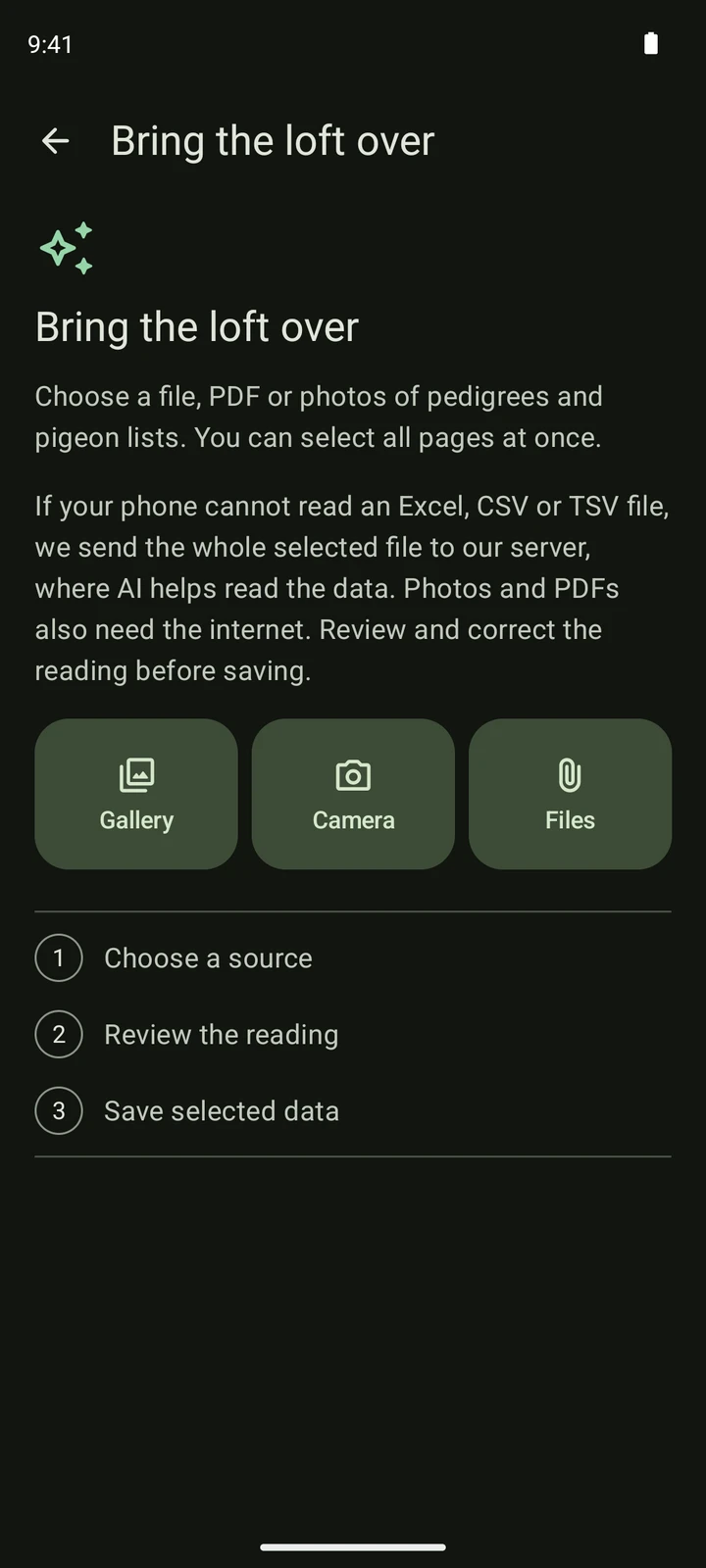
Supported PDFs and photographs through Files, Gallery or Camera. Native decoding depends on the device and image format; a filename change does not repair an unreadable image.
Import step by step
Prepare the source file
Use the clearest original PDF available. For a photograph, include the page edges, heading, ring numbers and parent labels; avoid glare, shadows and motion blur. Keep pages in a clear order. Use an ordinary data export instead when you have one.
Choose the file in PigeonTree
Choose Files for a PDF or image, Gallery for a saved photograph, or Camera for a new photograph. Photograph the complete heading and the rows in sharp, even light. Page reading uses an online AI service and needs connectivity; a deterministic file import is a different path.
Review the reading
Compare the reading with the original page, character by character for rings and dates. Correct sex, parents and selected rows. AI reading can miss or confuse handwriting and columns; the preview is for you to approve, not a guarantee that every value is right.
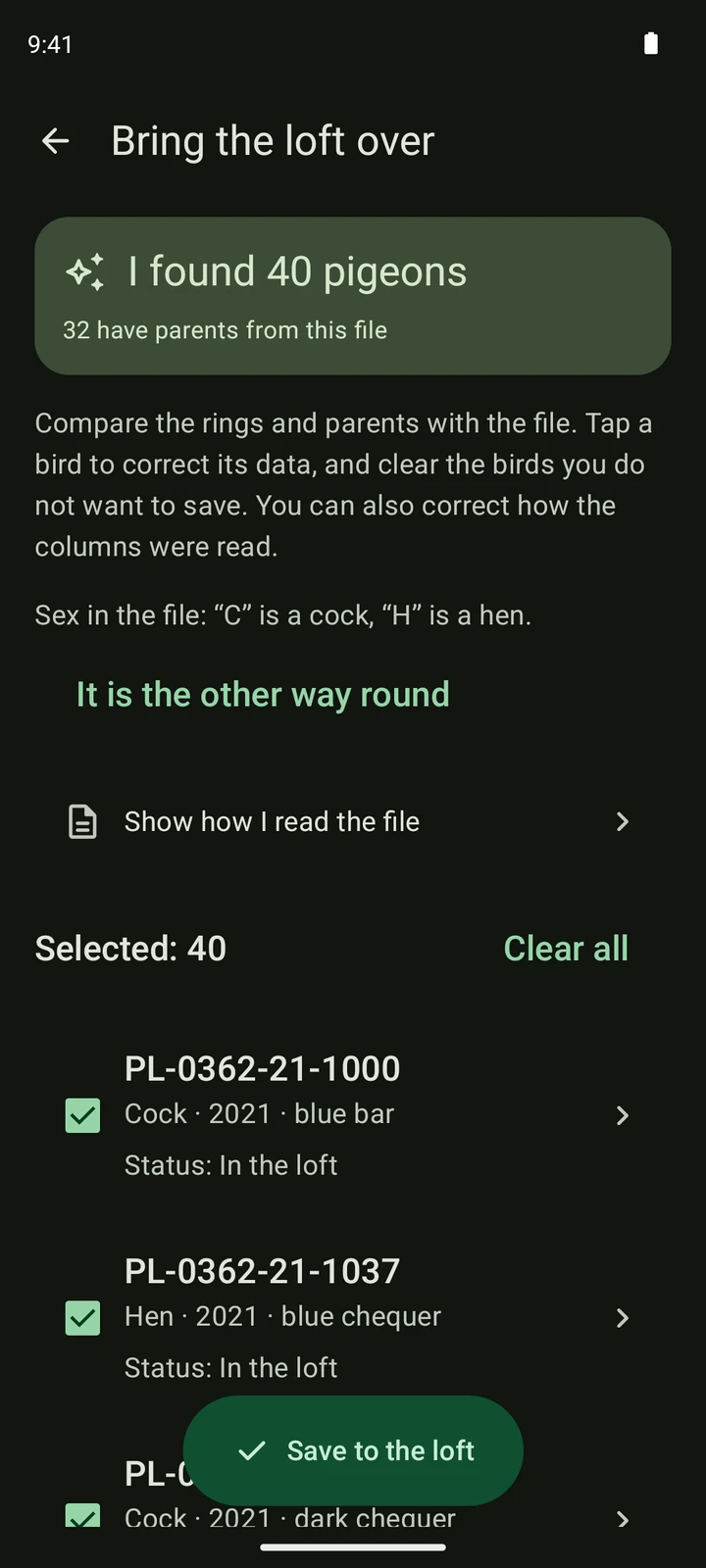
A fictional CSV list read in the real app. This illustrates the review screen; your source file and record count will differ. Save the selected data
Confirm only after checking the preview. Reading a file does not itself save birds into your loft. After saving, open the records and a pedigree to verify the family links. A local save and completed cloud synchronisation are separate things.
What to expect
- Document reading needs internet access and the app’s online reading service. This is different from local deterministic MMM or supported clock readers.
- Printed and handwritten content can be incomplete or misread. Never treat an AI answer as a verified pedigree.
- Only facts evidenced by the source should be approved. Blank parent positions or unclear rings are reasons to correct or exclude a record.
- For race lists, use the race-results guide and include the liberation heading, not only the bird rows.
Check the saved records
- Compare rings character by character, especially 0/O, 1/I and leading zeros.
- Verify parent direction, sex and the number of generations actually present.
- Keep the source PDF/photo so you can revisit a disputed detail.
Get PigeonTree